
Teams and team vote
Tables play as teams: everyone answers on their own phone, the majority wins and the captain breaks ties.
-
Step 1: Turn on teams
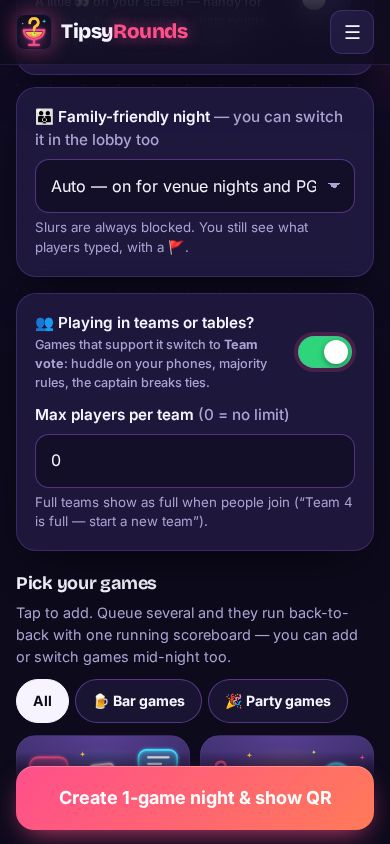
In the builder, switch on 👥 Playing in teams or tables? Games that support it switch to Team vote. You can cap the players per team (0 = no limit).
-
Step 2: Type a table number
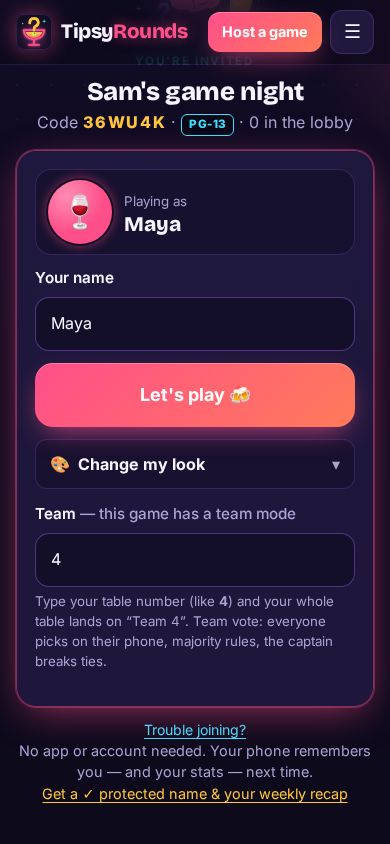
On the join screen players type their table number — like 4 — and the whole table lands on “Team 4”. Any team name works too.
-
Step 3: Or tap your team
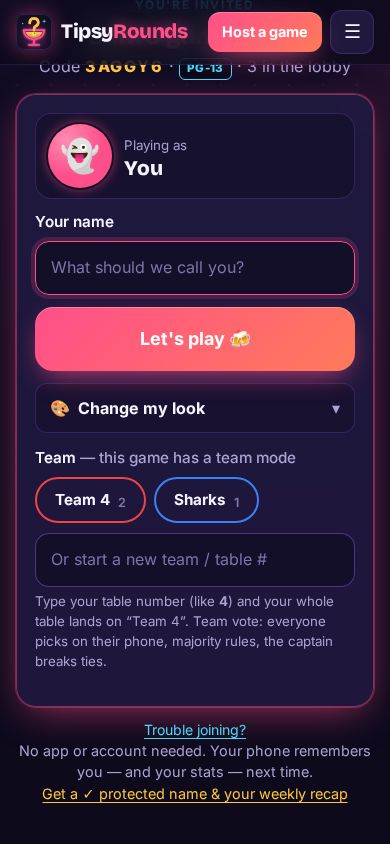
Once a team exists, the next players just tap it. A full team shows as full, so people start a new one.
-
Step 4: Vote together
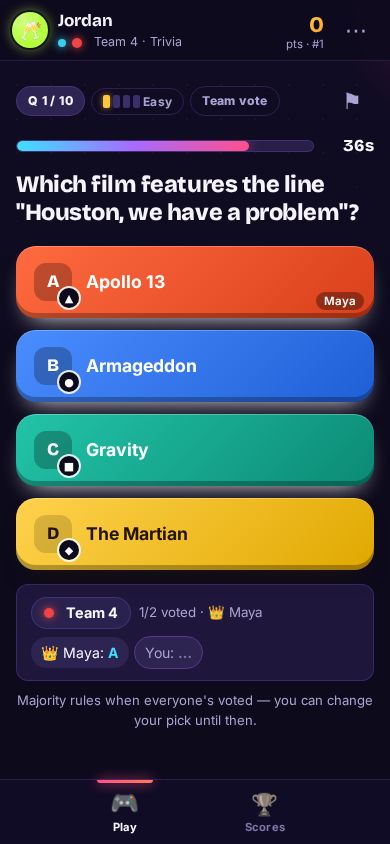
Everyone picks on their own phone and sees their teammates’ picks. Majority rules once everyone has voted, and the captain (the first to join the team) breaks ties. You can change your pick until then.
-
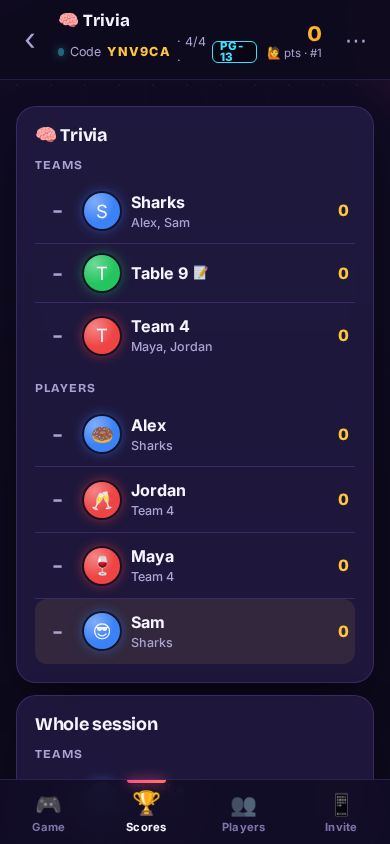
Step 5: Check the team scores
The Scores tab on the host phone (and the TV) shows the teams first, then every player.
Tips
- Players can switch teams in the lobby. Once the game starts teams lock — late arrivals still pick one when they join.
- When teams play as individuals, team standings use the average score per player, so a big table doesn’t win on headcount.
- Tables without phones can play on paper — see Printable sheets and paper teams.
Still stuck? Contact us — a real person reads every message. · All help articles